Bring the library.
Bring the work.
Get the right call.
DAMdaryl handles the library work—storage, connected sources, search, analysis, and organization—then helps the marketing team decide what fits the direction in front of them.
Before Daryl recommends, he learns your brand.
Upload the complete library or connect a supported source. DAMdaryl combines source data, asset analysis, and the Brand Context your team provides.
- Use DAMdaryl as the complete library.
- Or connect a supported Box or Google Drive source.
- Keep manual metadata available for precision and governance.
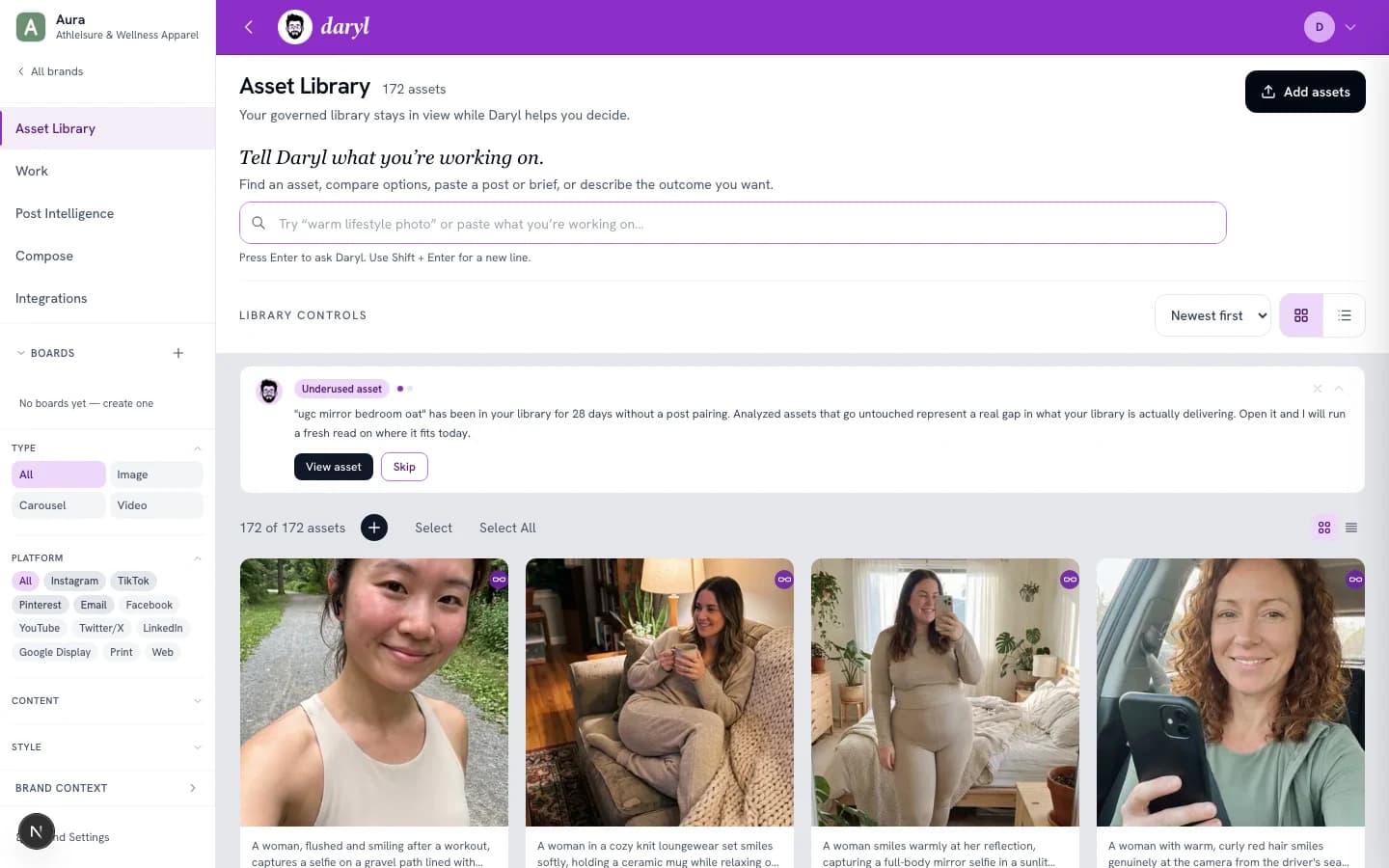
Tell Daryl what you’re working on.
Bring a finished post, a campaign brief, a creative question, a rough idea, or the outcome you want. Daryl reads the intent and returns ranked picks, each with a clear reason why it fits.
Bring the work in progress
A finished post, campaign brief, creative question, or rough idea. Daryl reads the message arc, tone, emotional register, and visual implication, not just the keywords.
Daryl searches your library
Semantic retrieval across the active library, matching mood, brand fit, and visual context against this specific direction.
Ranked picks with plain-English reasons
Each recommendation explains why it fits, keeps the alternatives visible, and lets you refine or override the direction.
"Fall is here and we're leaning into it. Warm drinks, layered looks, and that golden-hour energy. Which look is speaking to you this season?"
- 01golden-hour-lifestyle-oct.jpg
Warm amber tones match "golden-hour energy" directly. Subject layering aligns with "layered looks" copy.
Top pick - 02autumn-layers-product-shoot.jpg
Cozy palette matches campaign tone. Product is on-brand and visible. Strong seasonal alignment.
Strong match - 03warm-drink-lifestyle-01.jpg
"Warm drinks" named directly in post. Lifestyle mood aligns with fall campaign context.
Good option - 04layered-knitwear-fall.jpg
Knit layers echo "layered looks" copy directly. Better suited as carousel slide 2 than a standalone hero.
Different job


Every recommendation is explained.
DAMdaryl doesn't return a list. Every pick comes with a plain-English reason, so your team understands the call before they download.
Analysis without taxonomy busywork.
Daryl analyzes content, mood, visual style, and context while preserving the source and metadata your team already trusts.
Two ways into the same product.
Build the complete library in DAMdaryl or connect a supported source. Search, Brand Context, saved Work, and recommendations stay unified.
Reasoning stays visible.
Daryl shows the evidence behind a recommendation so a marketer can trust it, question it, or ask for a different direction.
The strongest fit may already be in your library. Daryl helps you find and compare it.
Start a complete smart library, or connect the one your team already has.