Find the assets you know you have. And the ones you forgot.
You remember the image. Not the filename. Describe the image you need or the work you’re making. Explore your library through image search, or use Post Intelligence for a social post—with brand context and reasons for fit.
An image description, a rough idea, a draft, or a campaign direction. No formal brief needed. Review plans and checkout terms before starting.
Meet Daryl. Find the shot you remember. Or explore assets for the next thing you’re making.
▦Search your existing library.Fieldwork · fictional brand
Illustrative example · authored requests and results, not a live search. AI-generated sample assets.
⌕
Keep in view: ivory bottle · outdoors · black cap · no studio shots
Assets from the example libraryFind assets. Understand the fit.
Bottle by the stream
woodland.jpg
The ivory bottle and black cap are visible against an outdoor woodland background.
Details & checks
Brand + work: A close view of the bottle beside a stream gives the outdoor pause a product focus.
Check: Check the actual product and version before use. The hand and bottle dominate the frame.
A pause outdoors
trail-pause.webp
The ivory bottle and dark cap are visible on a rock beside the trail.
Details & checks
Brand + work: A seated person and foreground essentials suggest a break outdoors; the earthy colors fit the supplied brand direction.
Check: AI-edited framing; not a verified product photograph. Check product details before use.
Along the trail
take-the-long-way.webp
A carried ivory bottle appears in an outdoor trail scene. It is smaller in the frame.
Details & checks
Brand + work: The person, winding trail and natural light support an everyday outdoor story.
Check: The bottle is less prominent. Inspect product detail and the final crop.
Brand context adds relevance. Fieldwork’s supplied direction: natural light, earthy colors, everyday outdoors. It helps assess fit; it does not override the requested product, color or exclusions.
Example requests are fixed. In the product, image descriptions use Library search; social post ideas use Post Intelligence. These are separate workflows.
Authored example for explanation. No customer or live recommendation result is shown.
Search for an image or explore recommendations for a post. Use the workflow that matches the request.
SmartSearch
Find assets by meaning and creative direction.
Brand Analysis
Inspect the brand-fit evaluation.
Asset management
Organize and inspect the files behind the campaign.
Boards
Collect selections for the work at hand.
Brand fit. Fit for this work.
Find the image. Understand the fit.
Brand context helps explain relevance: the visible detail, the message, and the job you need an image to do. It does not make a wrong product or color a match. Keep gaps and tradeoffs visible.
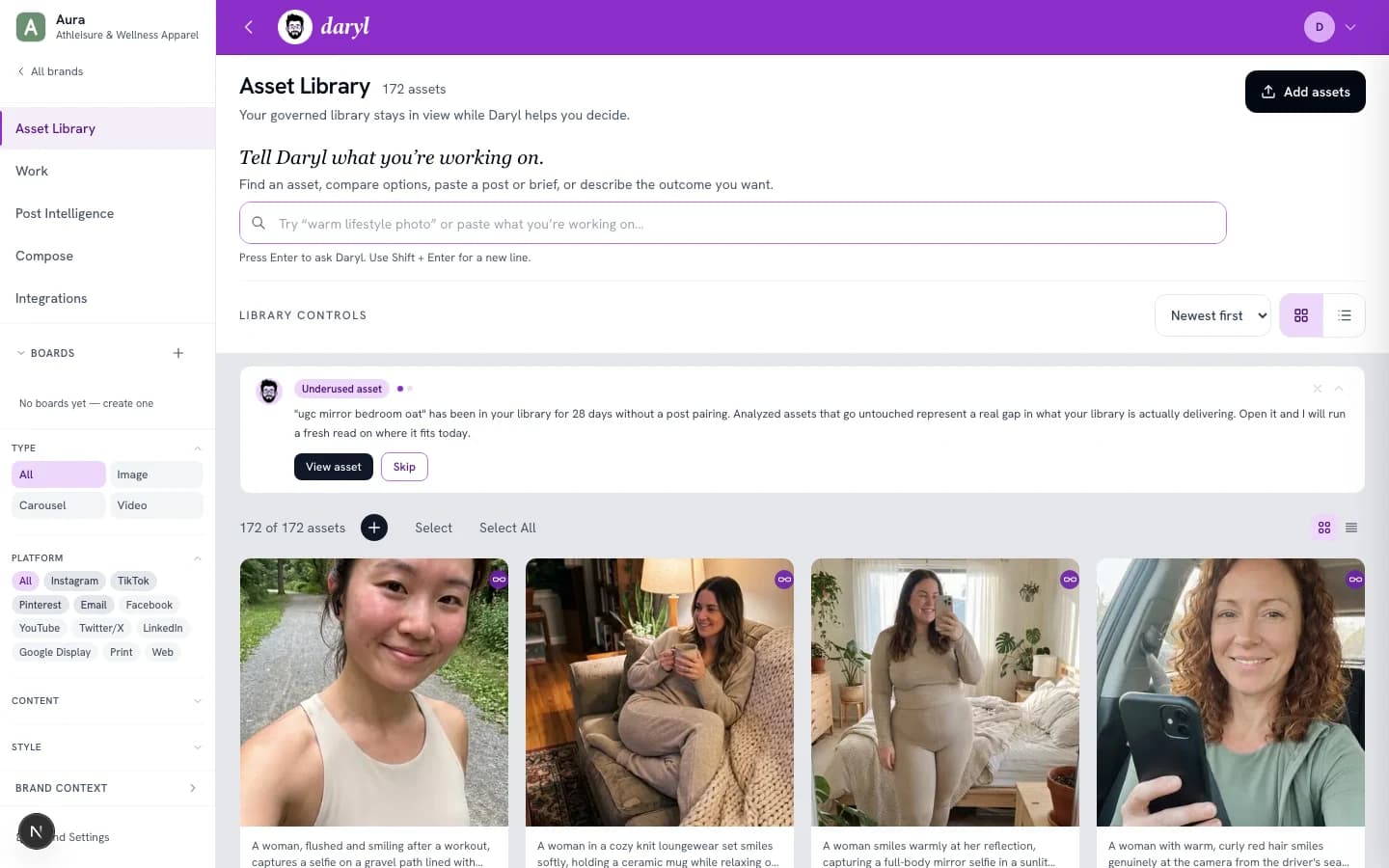
Current product interface capture. A still image of the library, not a live search or recorded result.
A few useful answers
Before you bring your library.
Describe an image or the work. A formal brief isn’t required.
What can I tell Daryl?
Describe the image you remember or need. For work-based recommendations, bring a rough idea, draft, question, campaign direction, or outcome. Include literal requirements and exclusions.
Do I have to move all my assets?
Use DAMdaryl as the native library or connect a supported source. Review source-specific availability, import, sync, and permissions on the integrations page.
Is Daryl only for social posts?
No. Search the Library for images, or use Post Intelligence for a social post or idea. These are separate workflows; the input and next steps depend on the route.
Who is Daryl a fit for?
Daryl is built for marketing teams and agencies choosing visual assets for ongoing work. If you need document collaboration, legal-file review, or social publishing and scheduling, use a tool built for that job.
What happens after I choose an asset?
Inspect it, collect a selection on a board, or use an available download or source action. The next step depends on the asset and route. Draft creation is a separate workflow.
Does Daryl handle documents?
Daryl is built for visual brand assets. PDFs, decks, text documents, and legal files are not imported or analyzed by the current media workflows. Documents in a connected source stay there. Use your document system for those files.
What do I need to learn before I start?
Start by adding a brand and a few supported images. Review your Brand Context. Describe an image in Library search, or bring a social post or idea to Post Intelligence. Inspect the returned assets before choosing. A formal brief is optional.
Can I review data handling before adding our library?
Yes. Read the privacy policy and ask us about your requirements before importing files. Enterprise commercial and security review means a conversation about those requirements, not a security certification. We do not claim SOC 2 certification on this site. Privacy policy →
Is the example a live product result?
No. Fieldwork is fictional. The sample imagery is AI-generated, and the recommendations and tradeoffs are authored to explain the intended selection process. No live product result or customer endorsement is implied.
Find the assets you know you have.
Describe an image or the work. Explore existing assets and inspect why they fit.