Add your photos.
Sign up and start on your own. Upload a folder of photos, or bring photos in from the storage you already use.
Describe what you're making. DAMdaryl searches your photo library by what each image shows, then helps you find the photos that fit the request.
No credit card. Your trial starts when you sign up.
Example request: Launch image for sage green leggings, natural light, lifestyle setting by a tall window
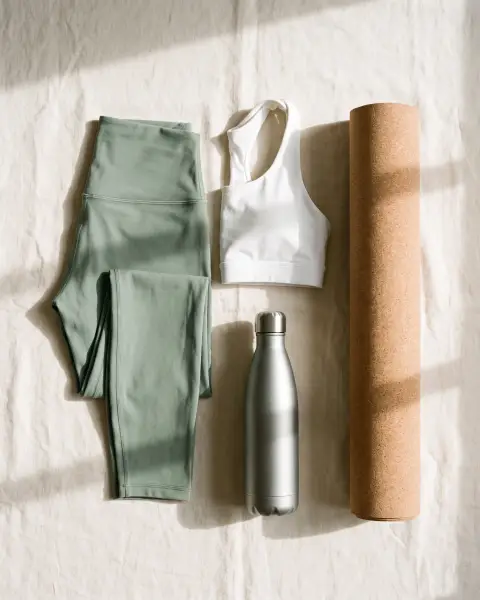
Final_FINAL_v2.jpg
 Match
aura-spring-hero.jpg
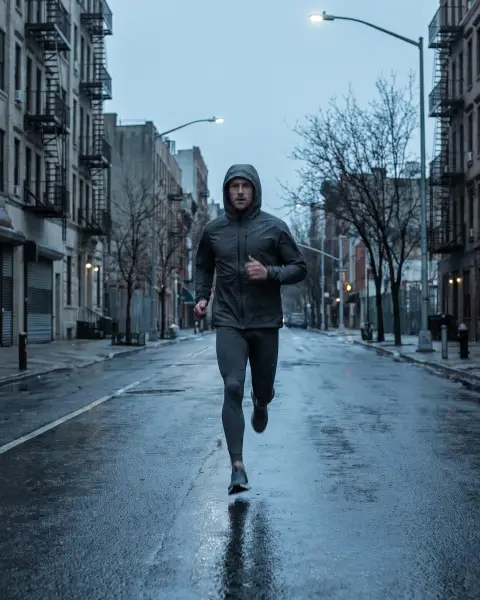
DSC_0082.jpg
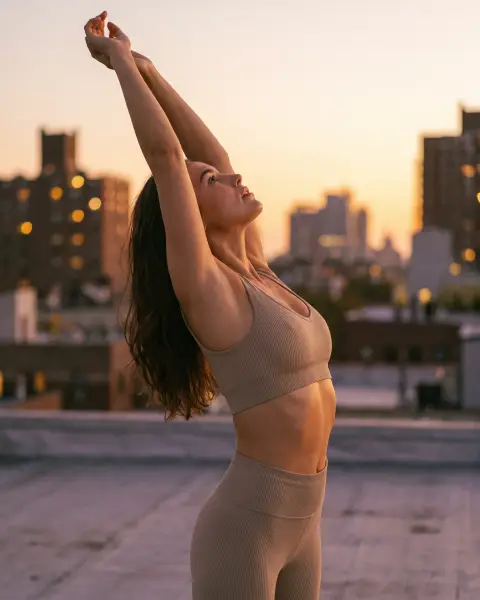
SS26_day2_0193.jpg

export_03 (1).jpg
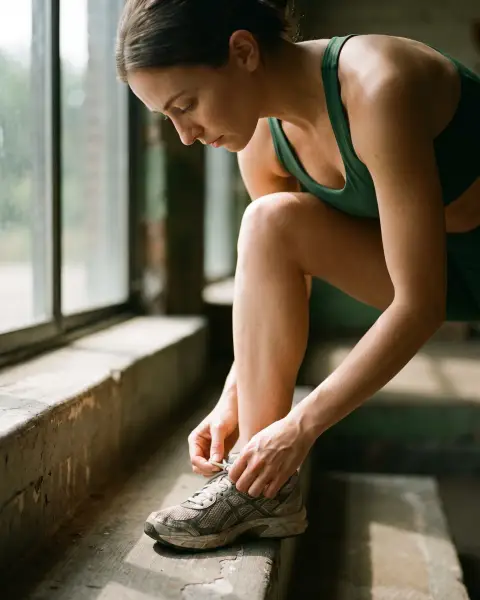
IMG_4471.jpg
Why it matchessage green leggingsnatural lightlifestyle settingtall window
Results come with reasons, so your team can see what matched before an almost-right photo gets used.
Illustrative example: brand and photos are fictional. Check product, version and rights before use.
The request comes in by channel, mood, product and deadline. The shoot was filed by date. Somewhere in between, the right photo disappears.
The campaign goes live this afternoon. You know the shot is from the spring shoot. The folder is called SS26_day2, and it holds 400 photos.
Describe the shot instead. "Woman stretching on a rooftop, sunset." DAMdaryl searches your photos by what is in them, not limited to file names.
Three folders. Three versions of the same shoot. Opening one almost-right photo after another, and still not sure which one is approved.
Search once, across every folder you bring in. Look at what comes back and check each one against the request before you choose.
Their files stayed. So did names like IMG_4471. Nobody else knows what's in them, so the team books another shoot for photos it already has.
You don't need to know what anyone called a file. Describe what's in the photo and search for it before you re-shoot.
A photo can look right in the thumbnail and still fail the work: the wrong product, the wrong color, a prop from last season.
DAMdaryl searches by the details that matter: product, color, setting, mood and visible objects. Then it shows what matched.
Daryl finds candidates. Your team still makes the call.
Sign up and start on your own. Upload a folder of photos, or bring photos in from the storage you already use.
Type what the work needs, the way you'd say it to a colleague: product, setting, mood, visible details.
DAMdaryl searches your photos by what each image shows. Review the matches and why they matched, then make the call.
Start a photo library with Daryl, or bring in photos from a library you already use.
Upload your photos and Daryl analyzes each one, so you can search them by what they show.
Works with OneDrive, SharePoint, Google Drive, Box and Canva. Pick what to bring in and Daryl imports copies of the photos.
Tell Daryl about your products, audience and voice, so results fit your brand, not just the words.
In-house brand and marketing teams who need the right photo from a library they already have, including the creative people who shoot, edit and file the photos. If you need document collaboration, legal file review, or social publishing and scheduling, use a tool built for that job.
Describe the photo you need, the way you'd say it to a colleague. Include what has to be in the shot, like the product, color or setting. A formal brief isn't needed.
No. Start with a handful of photos you know well, then describe one of them. Upload them, or bring photos in from the storage you already use. Daryl stores a copy of each photo you bring in.
7-day free trial, no credit card. It starts when you sign up. Access pauses at day 7. Nothing is charged.
Add a brand and a folder of photos. Describe the image your work needs, then look through what comes back before you choose.
Daryl is built for photos and other brand images. PDFs, decks, text documents and legal files aren't imported or analyzed. Keep those in your document system.
Yes. Read the privacy policy and ask us about your requirements before you import anything. A security review means a conversation about those requirements, not a certification. We don't claim SOC 2 certification on this site. Privacy policy →
No. The brand and images in the example are fictional demo material, and the request and result were set up to show how search works. No customer result is shown.
Describe what you're making. DAMdaryl searches your photo library by what each image shows, then helps you find the photos that fit the request.
No credit card. Your trial starts when you sign up.
Your photos stay yours. Daryl stores the photos you bring in and the analysis it creates. Read how we handle your data.